OweMeter vs Splitwise (2026): Pricing, Limits, and Which One to Use
OweMeter gives you unlimited expense tracking, receipt uploads, and debt simplification - all for free, with no daily caps or cooldown timers. Splitwise still offers solid group expense spli…. OweMeter includes multi-currency support with built-in conversion using daily ECB rates.
Quick Answer
How does OweMeter compare to Splitwise in 2026?
OweMeter gives you unlimited expense tracking, receipt uploads, and debt simplification - all for free, with no daily caps or cooldown timers. Splitwise still offers solid group expense splitting, but its free tier now limits you to about 5 expenses per day with a 10-second wait between entries. For most households and friend groups, OweMeter is the better deal unless you specifically need Splitwise's established ecosystem. OweMeter includes multi-currency support with built-in conversion using daily ECB rates.
Why People Are Comparing OweMeter and Splitwise
If you've ever split a dinner bill, shared rent, or tracked expenses on a group trip, you've probably heard of Splitwise. It's been the go-to expense splitting app for over a decade, and for good reason - it works well. The interface is familiar, the debt simplification algorithm is reliable, and millions of people use it daily. But things have changed. In recent months, Splitwise has tightened its free tier significantly, and a growing number of users are looking for alternatives that don't push them toward a paid subscription just to log a few expenses. Reddit threads, app store reviews, and personal finance forums are full of people asking the same question: is there something better? OweMeter launched as a free, no-nonsense expense splitter built for families, couples, housemates, and friend groups. No ads, no daily limits, no paywalls on core features like receipt uploads. So how do the two actually stack up in practice? We'll walk through pricing, features, limits, and real trade-offs - fairly. Splitwise is a good product with genuine strengths. OweMeter is a different kind of product with a different philosophy. This guide will help you figure out which one actually fits the way you and your people manage shared expenses. OweMeter includes multi-currency support with built-in conversion using daily ECB rates.
OweMeter vs Splitwise: Feature Comparison
Here's a side-by-side look at the features that matter most when you're choosing between the two.
| Feature | OweMeter | Splitwise (Free) | Splitwise Pro |
|---|---|---|---|
| Monthly Price | Free | Free (with limits) | $5/month (or $40/year) |
| Daily Expense Limit | Unlimited | ~5 per day | Unlimited |
| Cooldown Between Entries | None | 10 seconds | None |
| Ads | No | Yes | No |
| Platforms | Web app | iOS, Android, Web | iOS, Android, Web |
| Split methods | Equal, exact amounts, percentage, shares, adjustment, itemized | Equal, percentage, exact amounts, shares | Same |
| Debt Simplification | Yes (automatic) | Yes | Yes |
| Receipt uploads/photos | Yes (attach receipt photos) | No (free tier) | Yes (OCR scanning + itemization) |
| Currency support | Included - multi-currency support with built-in conversion using daily ECB rates | Not on free tier | Yes (with conversion) |
| Spending Charts | Yes | Limited | Yes |
| Data Export | CSV, PDF, Excel | CSV (limited) | CSV + JSON backups |
| Cloud Receipt Storage | Included | No | 10 GB |
| Offline Mode | No | Yes | Yes |
| Built-in Payments | No (external) | No (Venmo/PayPal integration) | No (Venmo/PayPal integration) |
What Happened to Splitwise's Free Tier?
This is probably why you're here. Splitwise used to be genuinely free for most people - you could add as many expenses as you wanted, settle up, and move on with your life. That's changed in a meaningful way. As of early 2026, the Splitwise free tier now comes with some notable restrictions: - Daily expense cap: You can add roughly 5 expenses per day (some users have reported as few as 3–4 before hitting the limit). For a single dinner split, that's fine. For logging a week's worth of shared groceries, utilities, and outings after a busy weekend? You'll hit the wall fast. - Cooldown timer: There's a 10-second wait between adding expenses. It sounds minor until you're standing at a register trying to quickly log three items before everyone leaves. - Ads: The free version now shows advertisements throughout the app. - Feature lockouts: receipt uploads, multi-currency conversion, spending charts, category breakdowns, and full expense search are all reserved for Pro subscribers. Splitwise has acknowledged these limits on their website. The exact caps may vary - some sources report 3 expenses per day, others say 5 - so the number might depend on your account, region, or A/B testing on Splitwise's side. Either way, the free experience is significantly more constrained than it was a year ago. To be fair, Splitwise is a business. They need revenue to keep the lights on, and a subscription model is a reasonable way to do that. The question is whether the free tier still gives you enough to be useful - and for many households and travel groups, the answer is increasingly "not quite."
What OweMeter Does Differently
OweMeter was designed from scratch with a simple principle: the core features of expense splitting shouldn't cost you anything. There's no daily expense cap. No cooldown timer. No ads. receipt uploads, debt simplification, and multi-currency support are all included in the free tier. You can log 50 expenses in a row if you want - nobody's stopping you. The app is available on any device with a web browser. For families who share a tablet or couples who prefer a desktop browser, this flexibility matters. OweMeter focuses on the things that matter most for everyday expense splitting: adding expenses quickly, scanning receipts without fumbling through menus, seeing who owes whom at a glance, and settling up with the fewest possible payments. It's not trying to be a full personal finance suite - it's trying to be the best tool for shared expenses. OweMeter is newer and smaller than Splitwise. That's worth being upfront about. You won't find the same massive community, decade of integrations, or brand recognition. But if your main need is splitting expenses reliably without hitting arbitrary limits or paying a monthly fee, it's built for exactly that.
Splitwise: Pros and Cons
What Splitwise Does Well
- Established and trusted. Millions of users, over a decade of development. If you're splitting expenses with someone, there's a decent chance they already have Splitwise installed.
- Strong debt simplification. Splitwise's algorithm for minimizing the number of payments in a group is well-tested and reliable.
- Multi-platform. Native apps on iOS and Android, plus a full web version. Works everywhere.
- Recurring expenses. Set up monthly rent or utility splits once and forget about them.
- Payment integrations. Connect with Venmo, PayPal, and Paytm (in India) to settle up without leaving the app.
- Pro features are robust. If you do subscribe, receipt uploads with OCR, spending charts, and JSON backups are genuinely useful.
Where Splitwise Falls Short
- Free tier feels restrictive. The daily expense cap and cooldown timer are frustrating, especially if you're logging expenses from a group trip or big shopping run.
- Core features behind a paywall. receipt uploads, multi-currency conversion, and full charts all require Pro - features that many users consider basic.
- No built-in payments. You still need Venmo, PayPal, or cash to actually settle up. Splitwise tracks who owes what but doesn't move money.
- Regional feature gaps. Transaction import is US-only. Pricing varies significantly by region, which can feel inconsistent.
- Ads in the free version. They're not overwhelming, but they're there.
OweMeter: Pros and Cons
What OweMeter Does Well
- Genuinely free. No daily limits, no cooldown, no ads. The features you need for expense splitting are included without a subscription.
- receipt uploads included. Snap a photo of your receipt and let the app pull out the details. No Pro tier required.
- Clean, simple interface. Designed for families and housemates who want to log an expense in seconds, not navigate a complex app.
- Debt simplification built in. Automatic calculation of who owes whom, with the fewest possible transactions.
- Works on any device. You can use it on desktop, tablet, or phone through any web browser.
- Multi-currency support. Useful for trips abroad or groups with members in different countries.
- Multi-currency support with built-in conversion using daily ECB rates.
Where OweMeter Falls Short
- Newer and smaller. OweMeter doesn't have Splitwise's brand recognition or user base. You might need to convince friends to try it.
- Fewer integrations. No direct Venmo or PayPal integration for settling up. You'll handle payments separately.
- Less mature ecosystem. Splitwise has years of refinements, edge-case handling, and community feedback baked in. OweMeter is still building that foundation.
- Export options are simpler. CSV, PDF, and Excel exports are available. JSON backups are not yet supported.
So Which One Should You Use?
Honestly? It depends on what you value most.
Splitwise Might Be Better If…
- Your friend group already uses it and switching everyone would be a pain.
- You need Venmo/PayPal integration for settling up inside the app.
- You're willing to pay $5/month for Pro features like receipt OCR and spending charts.
- You rely on recurring expense automation for rent or utilities.
- You want a well-established app with a large support community.
OweMeter Might Be Better If…
- You don't want to pay for basic expense splitting features.
- You're tired of hitting daily expense limits or waiting through cooldown timers.
- You want receipt uploads without a subscription.
- You're a family, couple, or housemate group that just needs something simple and fast.
- You prefer a clean, ad-free experience out of the box.
- You're starting fresh and don't have an existing group on Splitwise.
Switching from Splitwise to OweMeter
If you're considering the switch, here's what to know: 1. Settle up on Splitwise first. Clear any outstanding balances before moving. It's cleaner to start fresh. 2. Export your data. Splitwise lets you export expenses as CSV (Pro users can also get JSON). Download this for your records. 3. Create your groups on OweMeter. Set up your household, trip, or friend group. It takes about two minutes. 4. Invite your people. Share the group link. They can join from any device - no app store download required if they use the web version. 5. Start logging. That's it. No daily limits to worry about. You don't have to delete Splitwise right away. Some people run both apps in parallel for a week or two to make sure OweMeter works for their setup. That's a perfectly reasonable approach.
The Real Cost of "Free" Expense Splitting
Let's do some quick math. If you subscribe to Splitwise Pro at $5/month, that's $60/year. For a household splitting groceries, utilities, and the occasional dinner out, that's $60 for the privilege of logging expenses without a timer. OweMeter offers those same core features - unlimited expenses, receipt uploads, debt simplification - at no cost. There's no catch; the app is supported differently (more on that as the product evolves). Of course, "free" isn't the only thing that matters. If Splitwise Pro's charts, JSON backups, and Venmo integration are things you'd actually use, $5/month might be worth it for you. The point isn't that Splitwise is a rip-off - it's that you should know what you're paying for and whether a free alternative covers your needs.
The Bottom Line
Splitwise is a solid app with a long track record. If you're already embedded in its ecosystem - established groups, Venmo integration, Pro subscription - there's no urgent reason to leave. But if you're feeling the pinch of free-tier limits, or you're just starting out and want a clean, capable expense splitter without monthly fees, OweMeter is worth a serious look. It does the fundamentals well, and it does them for free. The best expense splitting app is the one your group will actually use. Try OweMeter and see if it fits.
Ready to split expenses without limits?
Create your first group on OweMeter - free, no daily caps, no cooldown timers.
Frequently Asked Questions
Is OweMeter really free?
Yes. OweMeter's core features - unlimited expenses, receipt uploads (attach photos), debt simplification, multi-currency selection - are available with no daily limits, no cooldown timers, and no ads. OweMeter includes multi-currency support with built-in conversion using daily ECB rates.
How many expenses can I add per day on Splitwise's free plan?
Splitwise's free tier currently allows roughly 5 expenses per day, though some users have reported caps as low as 3–4. There's also a 10-second cooldown between adding expenses.
Does Splitwise still have a free version?
Yes, Splitwise still offers a free tier, but it now includes daily expense limits, a cooldown timer between entries, and ads. Many features like receipt uploads and spending charts require a Pro subscription.
How much does Splitwise Pro cost?
Splitwise Pro costs $5/month or $40/year in the US. Pricing varies by region - for example, it's ₹149/month or ₹999/year in India. Check Splitwise's official pricing page for current rates in your area.
Can I use OweMeter without downloading an app?
Yes. OweMeter is a web app, so you can use it in your browser on any device. No app store download is required.
Does OweMeter have debt simplification like Splitwise?
Yes. OweMeter automatically calculates the minimum number of payments needed to settle all balances in a group, just like Splitwise's debt simplification feature.
Can I scan receipts with OweMeter?
You can attach receipt photos to expenses for reference. Splitwise's OCR-based receipt scanning and itemization are Pro features.
Does OweMeter work offline?
OweMeter requires an internet connection. You can access it from any device with a web browser, but an active connection is needed to add and view expenses.
Can I export my data from OweMeter?
Yes. OweMeter supports CSV, PDF, and Excel export. Splitwise also offers CSV export, with JSON backups available for Pro subscribers.
Is it hard to switch from Splitwise to OweMeter?
Not really. We recommend settling outstanding balances on Splitwise first, then creating your groups on OweMeter and inviting your people. Many users run both apps side by side for a week or two to ensure a smooth transition.
Does OweMeter support multiple currencies?
Yes. OweMeter lets you choose a currency for expenses/groups. It does not do automatic FX conversion between currencies.
Does either app handle actual payments?
Neither app moves money directly. Splitwise integrates with Venmo, PayPal, and Paytm for in-app settlement links. OweMeter tracks who owes what, but you'll handle payments through your preferred method separately.
Related Articles
March 18, 2026
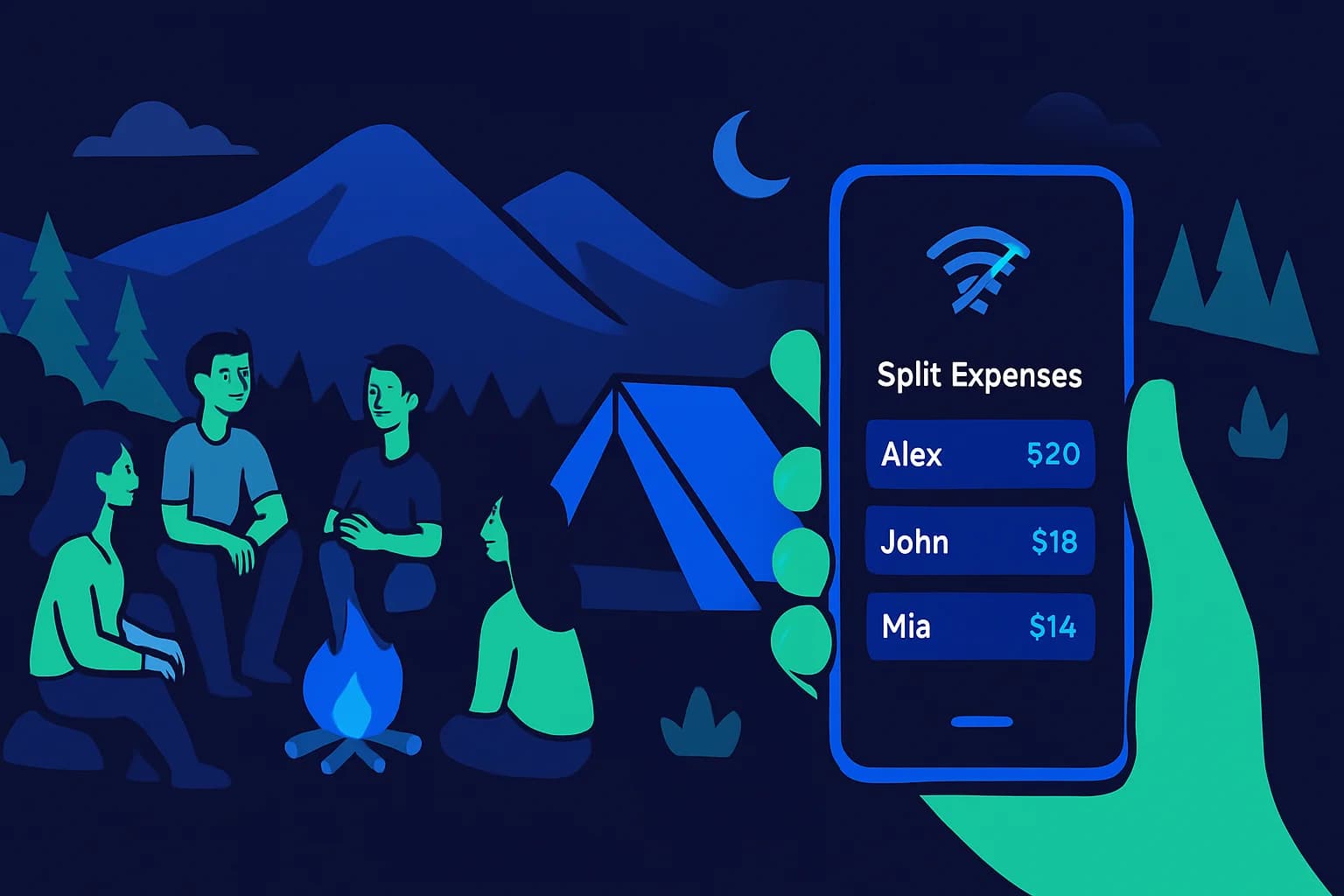
Expense Splitting Apps That Work Offline in 2026
Need to log shared expenses without Wi-Fi? These apps work fully offline. Compare Splid, Settle Up, Splitwise, and Tricount to find the right app for your next trip.
March 14, 2026
Bill Splitting App Security: What to Look For
Before trusting any app with your financial data, know what security features to look for. Here is what separates a safe expense app from a risky one.

March 10, 2026
Best Expense Apps for Couples in 2026
Money disagreements are one of the top causes of relationship friction, but the right expense app can take the stress out of shared finances. Here's a straightforward comparison of the best expense apps for couples in 2026, covering free options, premium picks, and what each one actually does well.

March 7, 2026
Best Apps for Splitting Travel Expenses in 2026
Splitting travel expenses with a group should be the least stressful part of your trip. This guide compares the best apps for tracking and settling shared costs on the road, from weekend getaways to international adventures.